

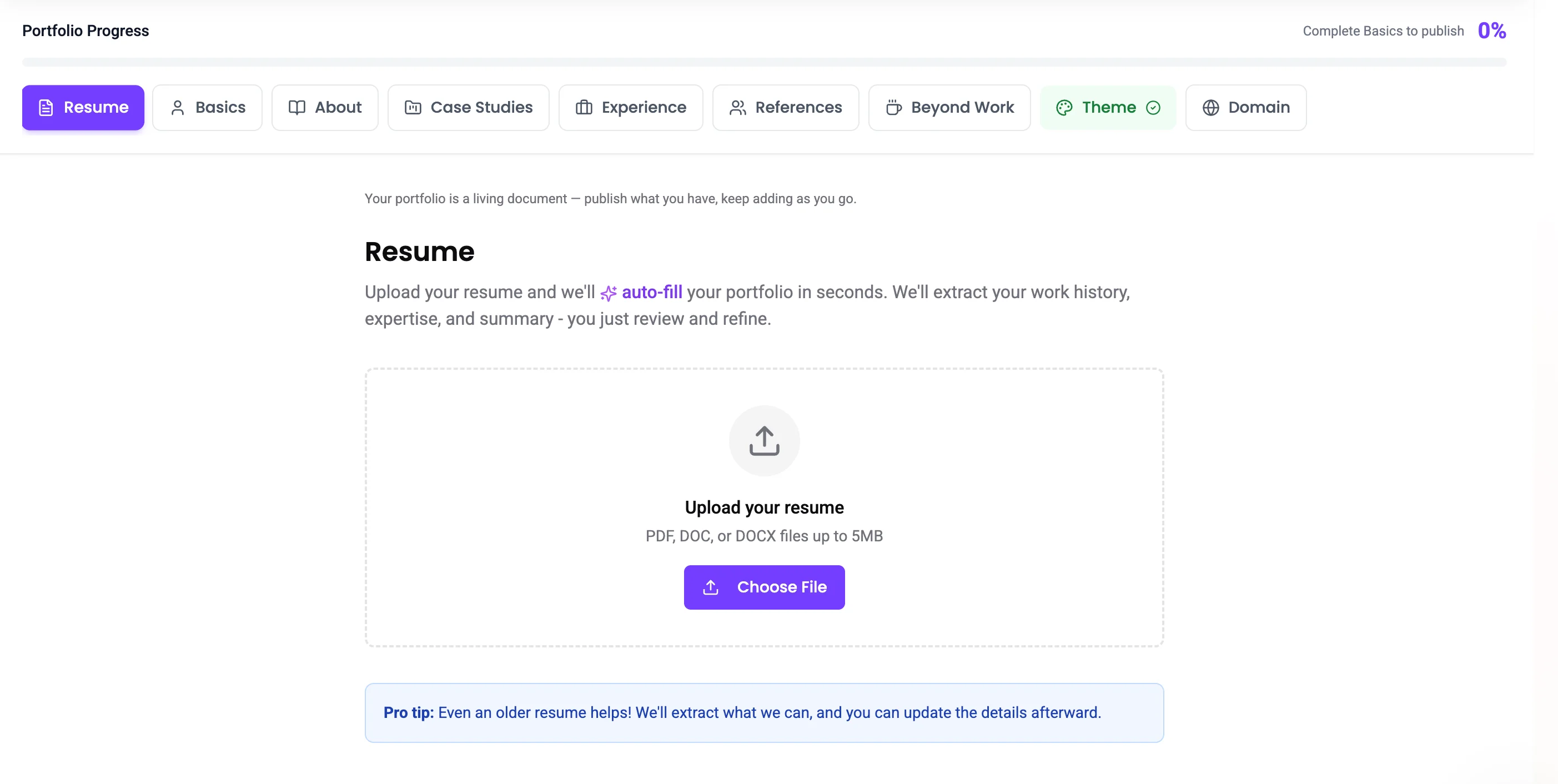
You can use an outdated resume, this is just to cut down on getting started! This resume will be accessible on your published portfolio, but you can change it at anytime.
Supported formats
- PDF (.pdf)
- Word (.doc, .docx)
How it works
- Go to the Resume section in the portfolio builder
- Click Upload Resume and select your file
- Prodfolio’s AI parses the content and extracts structured data from your resume
- A modal appears showing what was found — select which portfolio sections to auto-populate:
- Basics (name, title, contact info)
- About (professional summary)
- Experience (work history with companies, titles, dates)
Credits
Resume parsing is unlimited on all plans, both Free and Pro users can parse as many resumes as they need. No limits here. 🎉AI parsing works best with clearly formatted resumes. If your resume has unusual formatting, some fields may need manual adjustment.
Managing your resume
- Your uploaded resume filename and upload date are displayed in the builder
- You can delete your resume and upload a new one at any time
- The parsed data becomes part of your portfolio, deleting the resume doesn’t remove the data