> ## Documentation Index
> Fetch the complete documentation index at: https://help.prodfolio.io/llms.txt
> Use this file to discover all available pages before exploring further.
# Your First Portfolio
This guide walks you through building and publishing your first product manager portfolio from start to finish. By the end, you'll have a professional PM portfolio ready to share with recruiters, hiring managers, or your network. Let's go! 🚀
## 1. Complete onboarding
After signing up and verifying your email, complete the [onboarding flow](/getting-started/onboarding-walkthrough). This creates your first portfolio automatically.
## 2. Upload your resume
If you have a resume handy, upload it in the **Resume** section. Prodfolio's AI will parse it and offer to auto-populate your Basics, About, and Experience sections — a fast way to get your product management portfolio started.
[Learn more about resume upload →](/building/resume-upload)
## 3. Fill in your basics
Start with the essentials in the **Basics** section:
* Your name, title, and location
* LinkedIn and GitHub URLs
* Contact email is automatically filled in
* Availability status (Available, Open to Opportunities, Not Looking)
* Upload a headshot
* Add a video (✨ Pro)
[Learn more about portfolio basics →](/building/portfolio-basics)
## 4. Write your About section
Add your professional summary, select your areas of expertise, and write your product philosophy. This is where hiring managers get a sense of who you are as a product manager.
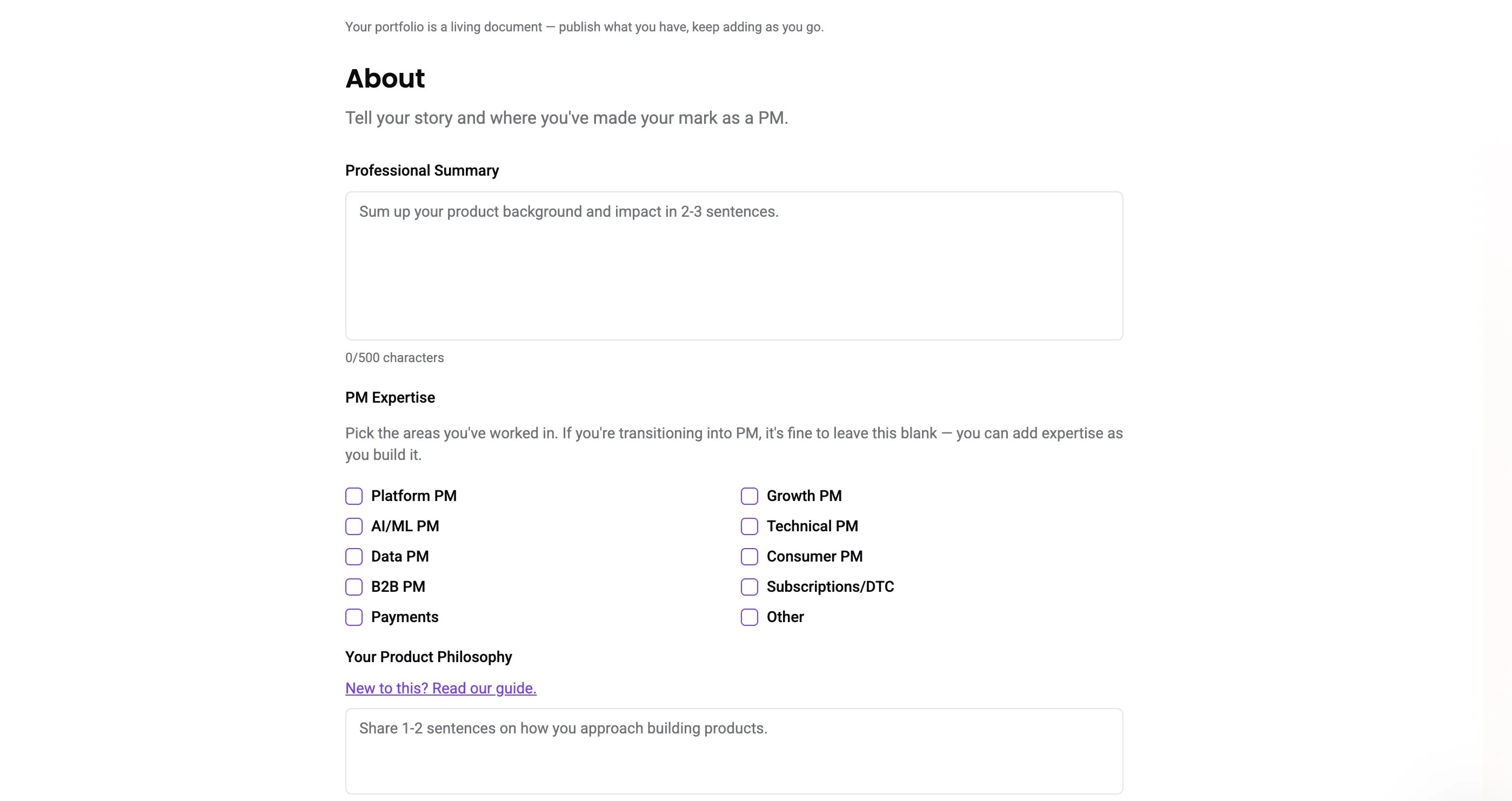 If you're not in a traditional product management role, the area of expertise and product philosophy are not required!
[Learn more about the About section →](/building/about-section)
## 5. Add your experience
Add your work history with company names, titles, and dates. Toggle on descriptions to add detail about each role and highlight your product management experience.
[Learn more about work experience →](/building/work-experience)
## 6. Create a case study
This is where your PM portfolio really shines. Use the SIGNAL framework to walk through a product story step by step - showing *how* you think, not just where you've worked.
Case studies don't have to be perfect on day one. Start with one story you're proud of and build from there. You can always come back and add more! 💪 [Learn more about writing case studies →](/building/case-studies)
## 7. Choose a theme
Pick from 5 preset themes to match your personal brand. Pro users can customize colors with hex codes to make their product manager portfolio truly their own.
[Learn more about themes →](/customizing/themes)
## 8. Go Live
When you're ready, hit **Go Live** to make your portfolio live. You'll get a shareable link at `app.prodfolio.io/p/your-slug`.
[Learn more about publishing →](/publishing/publish-portfolio)
You don't need to fill in every section before publishing. Start with the basics and a case study, then build from there. Your PM portfolio is a **living document** — you can always come back and add more. 💜
If you're not in a traditional product management role, the area of expertise and product philosophy are not required!
[Learn more about the About section →](/building/about-section)
## 5. Add your experience
Add your work history with company names, titles, and dates. Toggle on descriptions to add detail about each role and highlight your product management experience.
[Learn more about work experience →](/building/work-experience)
## 6. Create a case study
This is where your PM portfolio really shines. Use the SIGNAL framework to walk through a product story step by step - showing *how* you think, not just where you've worked.
Case studies don't have to be perfect on day one. Start with one story you're proud of and build from there. You can always come back and add more! 💪 [Learn more about writing case studies →](/building/case-studies)
## 7. Choose a theme
Pick from 5 preset themes to match your personal brand. Pro users can customize colors with hex codes to make their product manager portfolio truly their own.
[Learn more about themes →](/customizing/themes)
## 8. Go Live
When you're ready, hit **Go Live** to make your portfolio live. You'll get a shareable link at `app.prodfolio.io/p/your-slug`.
[Learn more about publishing →](/publishing/publish-portfolio)
You don't need to fill in every section before publishing. Start with the basics and a case study, then build from there. Your PM portfolio is a **living document** — you can always come back and add more. 💜