> ## Documentation Index
> Fetch the complete documentation index at: https://help.prodfolio.io/llms.txt
> Use this file to discover all available pages before exploring further.
# Uploading and Parsing Your Resume
Prodfolio can parse your resume with AI to automatically fill in your portfolio sections, saving you a ton of time on data entry. Upload it, review the results, and you're halfway to a finished PM portfolio. ⚡
You can use an outdated resume, this is just to cut down on getting started! This resume **will be** accessible on your published portfolio, but you can change it at anytime.
## Supported formats
* **PDF** (.pdf)
* **Word** (.doc, .docx)
Max file size: 5MB
## How it works
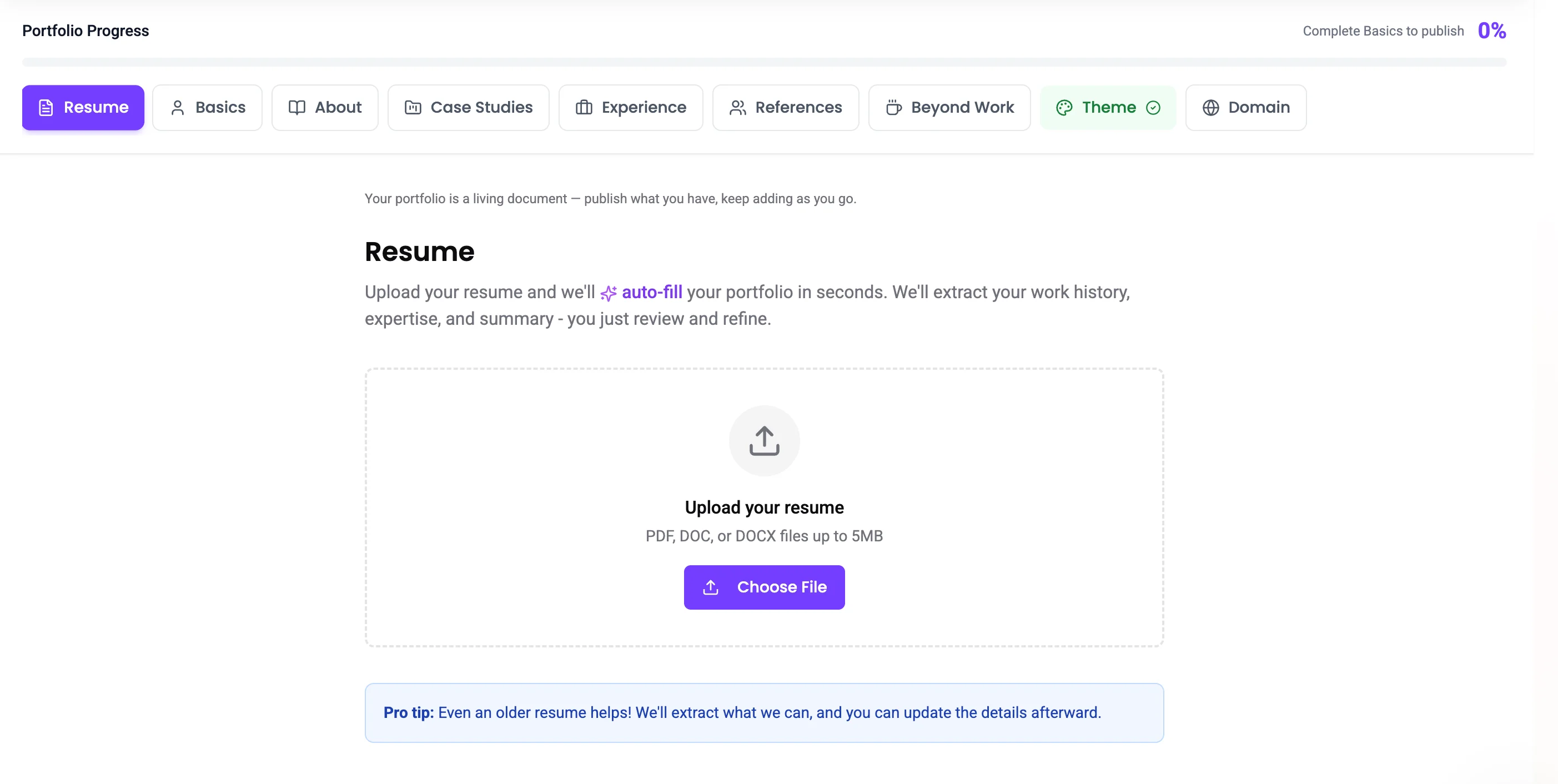
1. Go to the **Resume** section in the portfolio builder
2. Click **Upload Resume** and select your file
3. Prodfolio's AI parses the content and extracts structured data from your resume
4. A modal appears showing what was found — select which portfolio sections to auto-populate:
* **Basics** (name, title, contact info)
* **About** (professional summary)
* **Experience** (work history with companies, titles, dates)
 ## Credits
Resume parsing is **unlimited on all plans**, both Free and Pro users can parse as many resumes as they need. No limits here. 🎉
AI parsing works best with clearly formatted resumes. If your resume has unusual formatting, some fields may need manual adjustment.
## Managing your resume
* Your uploaded resume filename and upload date are displayed in the builder
* You can delete your resume and upload a new one at any time
* The parsed data becomes part of your portfolio, deleting the resume doesn't remove the data
## Credits
Resume parsing is **unlimited on all plans**, both Free and Pro users can parse as many resumes as they need. No limits here. 🎉
AI parsing works best with clearly formatted resumes. If your resume has unusual formatting, some fields may need manual adjustment.
## Managing your resume
* Your uploaded resume filename and upload date are displayed in the builder
* You can delete your resume and upload a new one at any time
* The parsed data becomes part of your portfolio, deleting the resume doesn't remove the data